Tropical Royale Mobile & Console Guide
Touch, tablet, Xbox, and PS5 tips for Roblox battle royale building and aim.
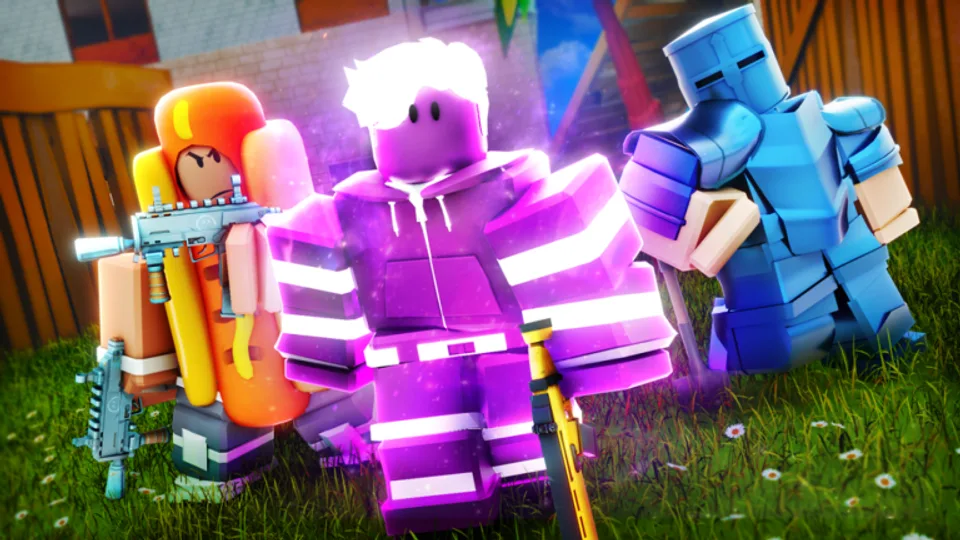
Tropical Royale runs on Desktop, phones, tablets, Xbox, and PlayStation 5 through Roblox with cross-platform matchmaking on place ID 10351562025. SirSkittles and Mewious designed the experience for up to 28 players per lobby, which means mobile and console players regularly fight PC builders. You do not need a gaming PC to compete — you need the right settings, mode choice, and control habits documented here and in Controls & Keybinds.
Touch controls on phones and tablets
Mobile Roblox uses virtual sticks and on-screen buttons:
- Movement stick — left thumb; avoid resting palm on screen edge which blocks rotation.
- Aim / fire — drag-fire lets you strafe while tracking; enable in Roblox settings if available.
- Build HUD — wall, ramp, floor, and edit buttons must sit where thumbs naturally reach without covering jump.
- Weapon swap — keep slots visible; panic-swapping to shotgun wins close fights from How to Win.
Tablets offer larger hitboxes for build buttons — many players perform better on iPad-class screens than small phones. Lower graphics if frame drops appear during four-player box fights; stable FPS beats max visuals.
Mobile sensitivity starting points
Start with lower aim sensitivity until AR tracking feels consistent across ten matches. Increase in small steps after you stop overshooting heads at mid range. Separate build sensitivity if Roblox profile exposes the slider.
Mobile sessions pair well with Ultimate Endless Casual when you have fifteen minutes — longer Classic arcs are harder to finish on a commute.
Xbox controller layout
Standard Roblox Xbox mapping applies:
- Left stick — move; Right stick — aim
- RT — fire; LT — aim down sights
- A — jump; B — crouch
- X — reload and interact; Y — weapon swap
- Bumpers — build pieces when using builder-style profiles
Map Grappler Gun and Jetpack to bumpers you can hit without releasing aim stick — mobility details in Mobility Guide. Use a wired controller when possible to cut Bluetooth input lag on busy TV setups.
PlayStation 5 controller layout
PS5 mirrors Xbox with Sony naming:
- R2 fire, L2 ADS
- Cross jump, Circle crouch
- Square reload, Triangle swap
- Bumpers — build pieces
Enable headset audio for footstep third-party timing — console players without sound lose free information PC users hear clearly.
Touch vs controller: honest tradeoffs
| Factor | Touch | Controller |
|---|---|---|
| Edit speed | Slower unless large tablet | Faster with muscle memory |
| Aim tracking | Drag-fire helps SMG | Stick plus mild aim assist |
| Mobility | Jetpack button placement critical | Bumpers suit Grappler snaps |
| Session length | Thumb fatigue on phones | Comfortable for long Casual grinds |
Neither platform grants stat advantages — gamepass weapons from Gamepasses Overview behave the same everywhere.
Settings checklist before queueing
Run this list on every device you play:
- Confirm Roblox account login — progress syncs cross-platform.
- Set graphics so fights stay above stable frame rate.
- Rebind build keys away from fire button mis-presses — full tables in Controls.
- Test one How to Play warm-up drop at a safe POI from Map & Drops.
- Pick mode — Casual for learning, Classic for standard BR pacing in Game Modes.
Premium Roblox subscribers receive extra playtime rewards — stack with Tropical Bucks Guide earning routes.
Building on non-PC platforms
Efficient builds beat creative towers:
- Pre-select ramp before leaving cover.
- Wall immediately when cracked below half shield.
- Harvest on a dedicated button, never mid gunfight.
Practice sequences in Casual lobbies before pushing Classic wins. Building Guide explains piece timing that translates to touch and controller alike.
Console and mobile meta notes
Ground loot remains viable — do not assume you must buy Robux passes to win. When budget allows, prioritize one weapon pass from Gamepasses Tier List before cosmetic spending.
Report exploiters through Roblox and Tropical Royale Discord — permanent bans apply per Scripts Hub. No active promo codes exist; ignore mobile ads promising free Scar unlocks — Codes Hub tracks verification.
Related pages
- Controls & Keybinds — full PC tables plus console notes
- Endless Casual Guide — shorter mobile sessions
- Mobility Guide — Jetpack and Grappler on small screens
- Review — performance and who the game suits
Cross-platform parity is a strength of Tropical Royale — master your device inputs and you can climb toward victory royales on any supported Roblox client.
Frequently Asked Questions
Quick answers to the most common questions.
Can mobile players beat PC builders?
Yes with disciplined builds and fight selection. Edit speed gaps exist at top rank but pub lobbies remain winnable.
Best mode for phone sessions?
Ultimate Endless Casual often fits shorter time boxes. Classic works when you can finish a full storm cycle.
Does aim assist exist on console?
Roblox BR titles typically include mild assist. Strength may change per patch — check Changelog after updates.
Should tablet players use controller?
Optional. Large touch HUD works well on tablets; controller helps if you already play Xbox or PS5 Roblox titles.
Do gamepasses transfer between devices?
Yes on the same Roblox account. Buy once, play on phone, console, or PC.